
Receive and track samples
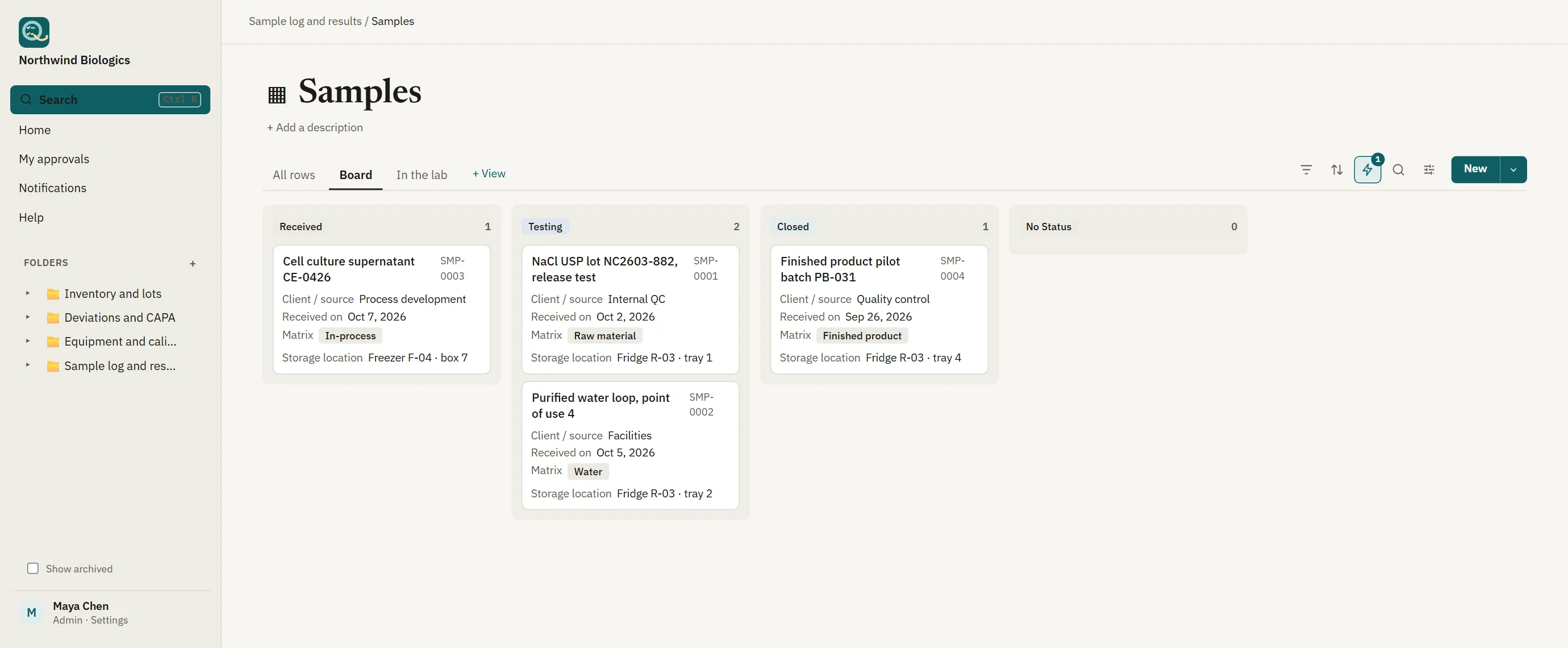
Every sample gets a unique ID, a storage location and a QR label to print and scan. A board shows what has been received, what is in testing and what is closed.
Receive samples against requests, record results with calculations that are checked, and release them only after review and signature. Equipment, reagents and training sit in the same workspace, with an audit trail on every record.
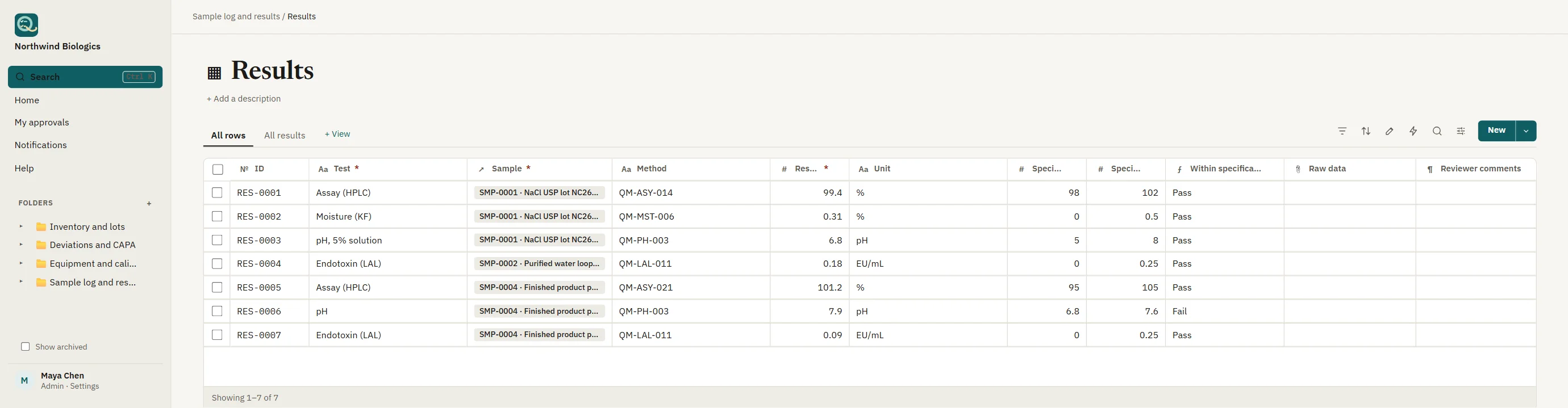
Built from ordinary tables, so you add the columns your methods need. The starting templates cover the parts every lab shares.
Every sample gets a unique ID, a storage location and a QR label to print and scan. A board shows what has been received, what is in testing and what is closed.
Results sit beside their specification limits, and formulas calculate the outcome so nobody retypes a pass or fail. Reagents and standards are recorded with their lots and expiry dates.
A second person reviews and signs before a result is released. The signature records its meaning, the released version is locked, and a change means a new version with the old one kept.
Move samples across the board as work progresses, and open any one to see its requests, results and history together. Scanning a label opens the sample, wherever you are in the lab.
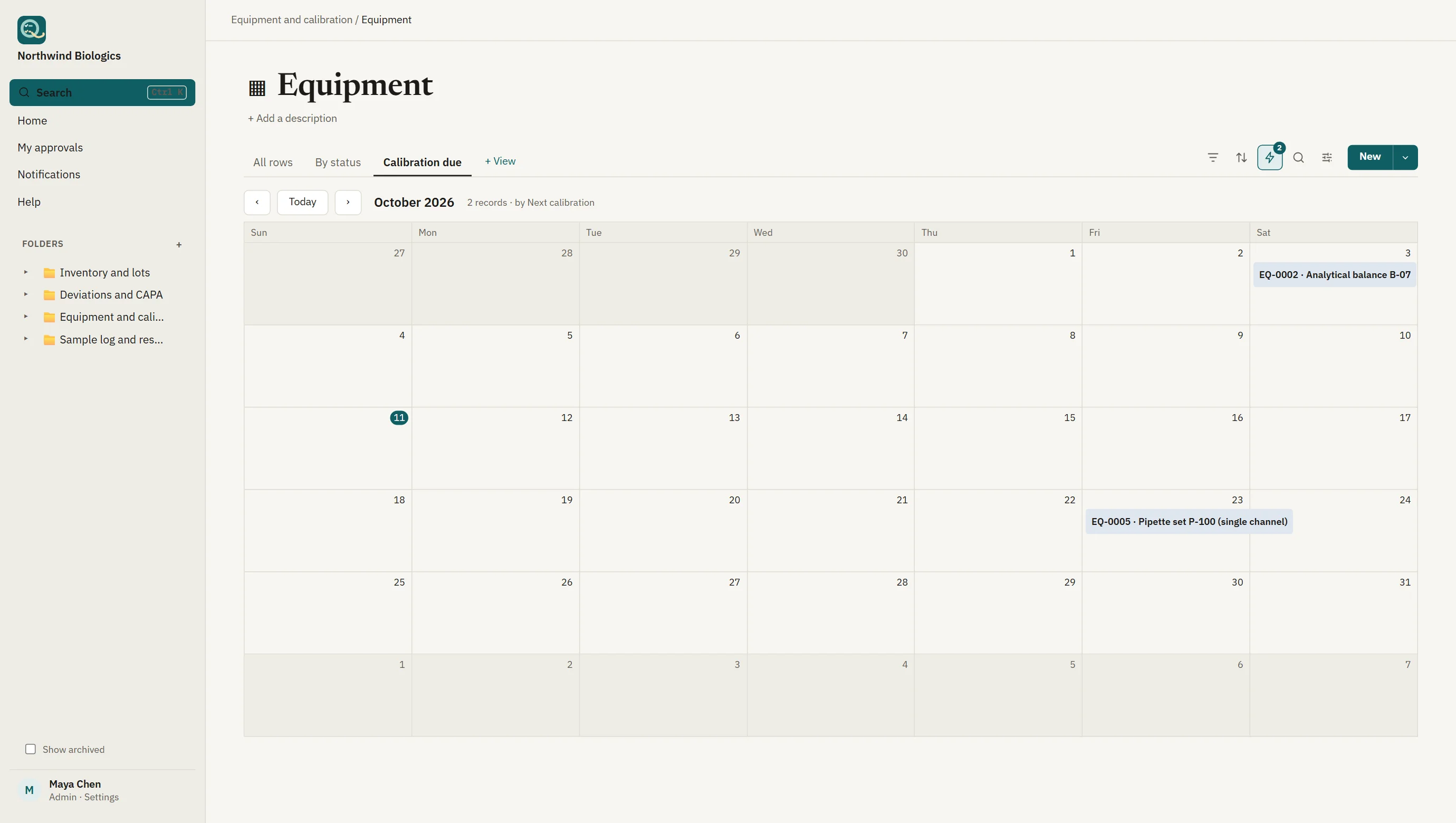
Keep calibration and maintenance dates beside the equipment, and reagents and standards with their lots and expiry. When something is due or expiring, its owner is reminded before it affects a result.
Qualsted gives you the controls and the records; your methods, procedures, training and validation of your own configuration complete the picture.
| Requirement | How Qualsted helps |
|---|---|
| ISO/IEC 17025 §7.5 · §8.4 | Technical records and control of records. Changes are tracked to the person and time, and earlier values stay on record. |
| ISO/IEC 17025 §6.4 | Equipment. Calibration and maintenance dates with owners, reminded before they lapse. |
| ISO/IEC 17025 §7.8 | Reporting of results. Results reviewed and signed before release, and signed PDFs for the client. |
| 21 CFR 11.10(e) · 11.50 | Audit trail and signatures. A server-recorded history of who did what, and signatures that show the signer, time and meaning. |
Working processes with signatures, reminders and views set up, as ordinary tables and pages you can change.
Customer test requests reviewed before work starts, and test reports authorized by a signature before they're released, linked to each other, with reminders before a report is due.
ISO/IEC 17025 §7.1 · ISO/IEC 17025 §7.8 · ISO/IEC 17025 §7.5
Receive samples with unique IDs and storage locations, record test results against specifications (pass or fail is calculated), and have them reviewed.
ISO/IEC 17025 §7.4 · §7.5 · §7.8 · 21 CFR 211.194 · GLP (21 CFR 58)
An equipment register with calibration records reviewed by Quality, and reminders two weeks before calibration falls due.
21 CFR 211.68 · FDA QMSR (21 CFR 820) · ISO 9001 §7.1.5 · ISO/IEC 17025 §6.4 · ISO 13485 §7.6
Who was trained on what, when, and by whom, with trainee and trainer sign-off and reminders when training falls due.
21 CFR 211.25 · FDA QMSR (21 CFR 820) · ISO 9001 §7.2 · ISO 13485 §6.2 · ISO/IEC 17025 §6.2
Product or material that doesn't meet requirements: identify it, decide its disposition, and get it approved.
ISO 9001 §8.7 · ISO 13485 §8.3 · FDA QMSR (21 CFR 820) · AS9100 §8.7 · IATF 16949 §8.7
It covers what many labs use a LIMS for: samples, requests, results, equipment and reagents, with review and signatures. It's a flexible workspace rather than a fixed product, so you shape the records to your methods. It doesn't drive instruments or replace specialist software for chromatography or sequencing data.
Yes. Formula columns calculate values such as whether a result is within specification, and the calculation is part of the record.
Yes. Import samples and results from CSV or Excel files; large imports run in the background while people keep working.
You can send clients a signed PDF, or an expiring link to a file. Access inside the workspace is limited to the people you invite, with free viewer seats for read-only access.
It supplies the records an assessor looks for: controlled technical records, equipment and calibration, signed results and a full history. Your quality manual, procedures and validation of your own configuration complete the picture.