
Receive into quarantine
Every delivery is a lot with its lot number, supplier, quantity, storage location and certificate of analysis. The receiving checklist is on the record, and the lot stays in quarantine until it's released.
Items, lots, expiry dates and storage locations, with Quality's release before anything is used, a record of every receipt and use, and reminders before lots expire. The same signatures and audit trail as the rest of your quality records.
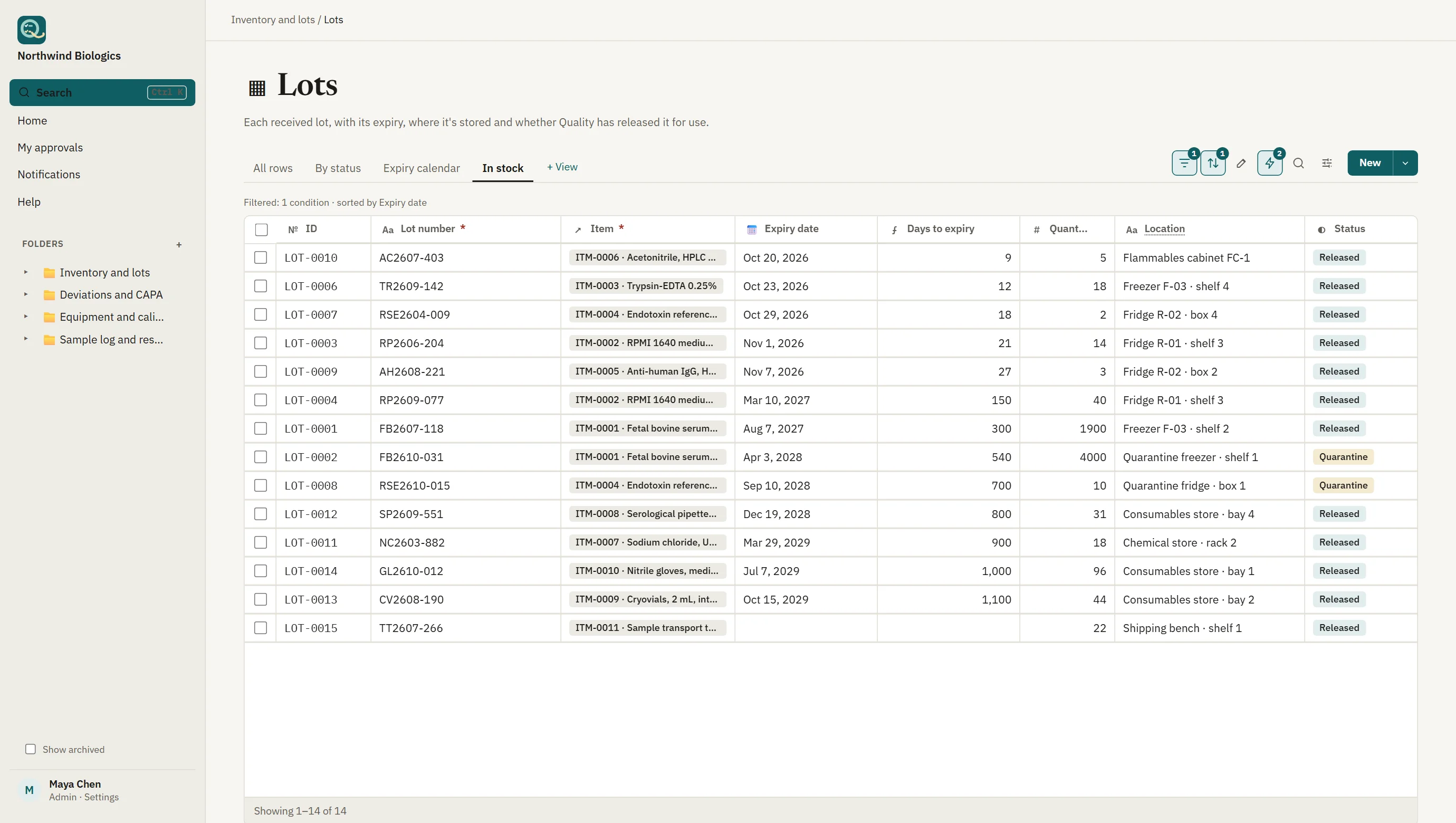
Inventory in Qualsted is built from ordinary tables, so you can add the columns your materials need. The starting template gives you the parts that matter in a regulated store.
Every delivery is a lot with its lot number, supplier, quantity, storage location and certificate of analysis. The receiving checklist is on the record, and the lot stays in quarantine until it's released.
Days to expiry is calculated for every lot, an expiry calendar shows the month ahead, and the owner is reminded 30 days before a lot expires and again the day after, with Quality told.
Each receipt, use, adjustment and disposal is a stock movement: how much, when, by whom and for which batch or study. A lot's page lists its movements, and a movement links back to its lot.
The person who received the lot can't release it. The approver signs with a fresh password or single sign-on check, the signature records its meaning, and the released version is locked. A change means a new version, and the old one stays on record.
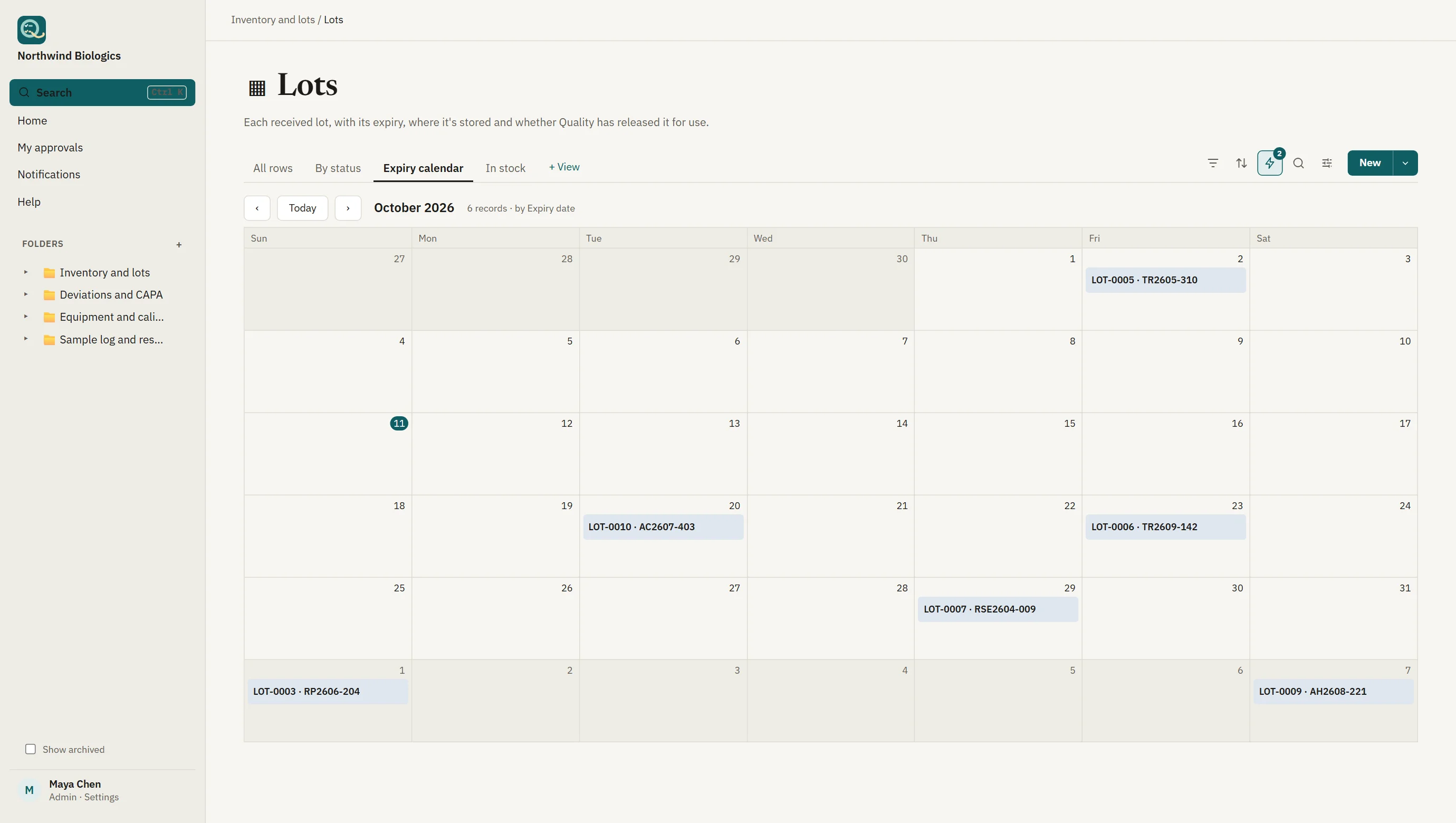
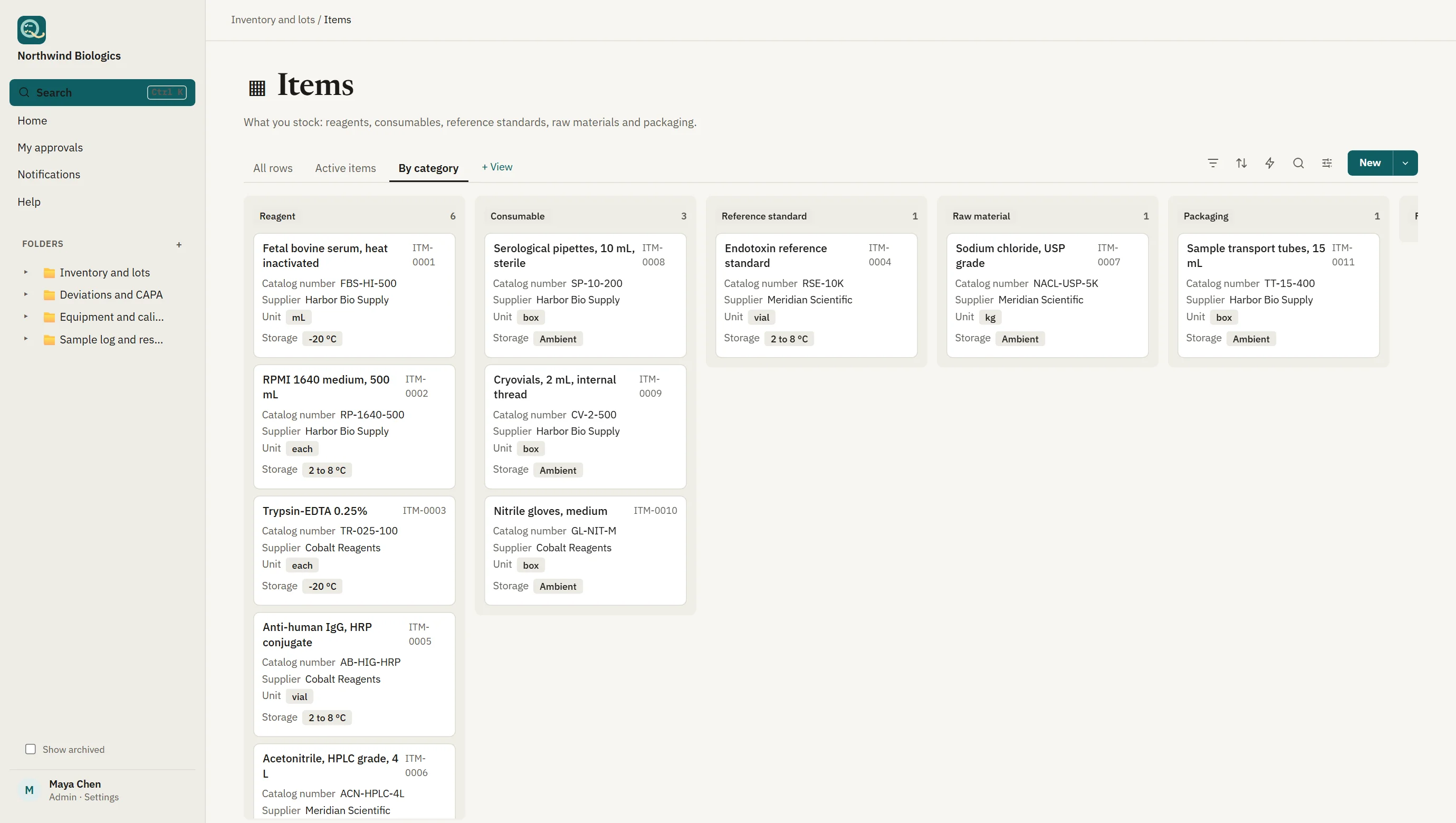
Screens show sample data from a fictional company.
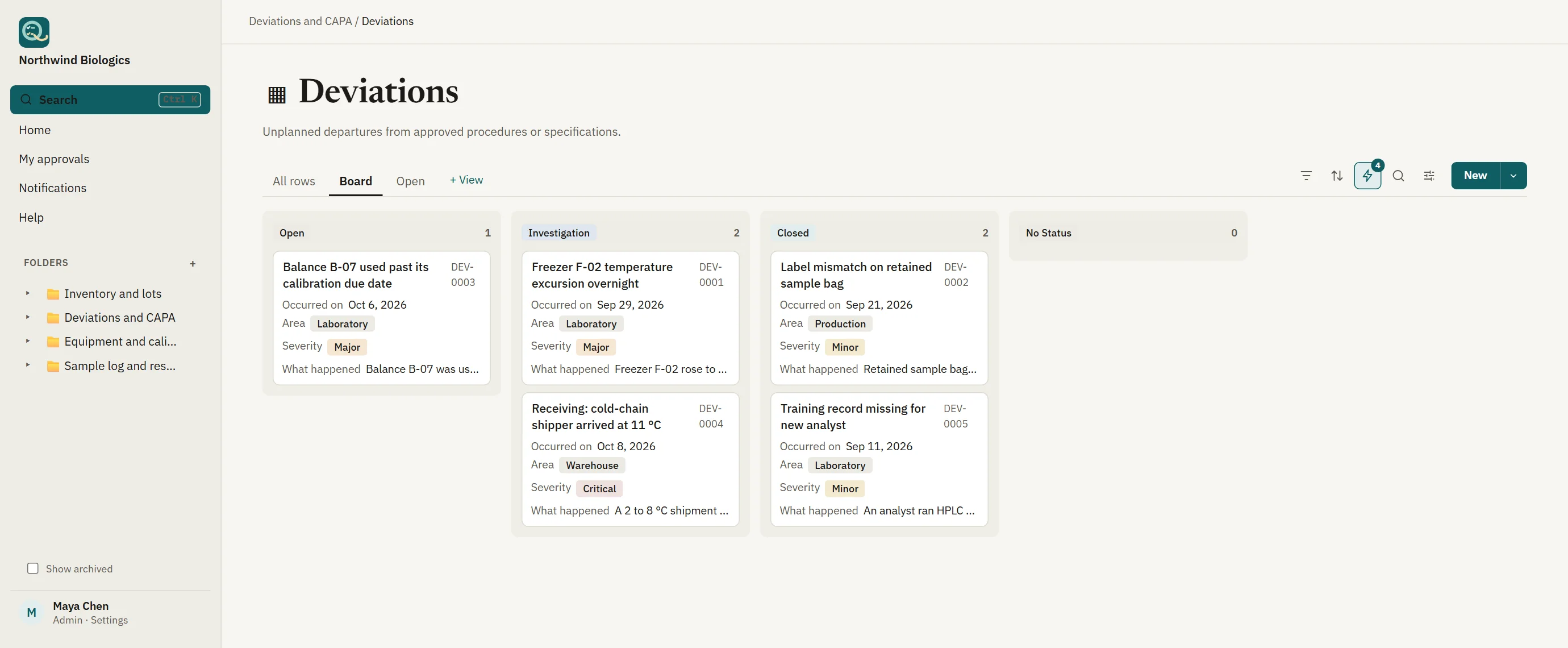
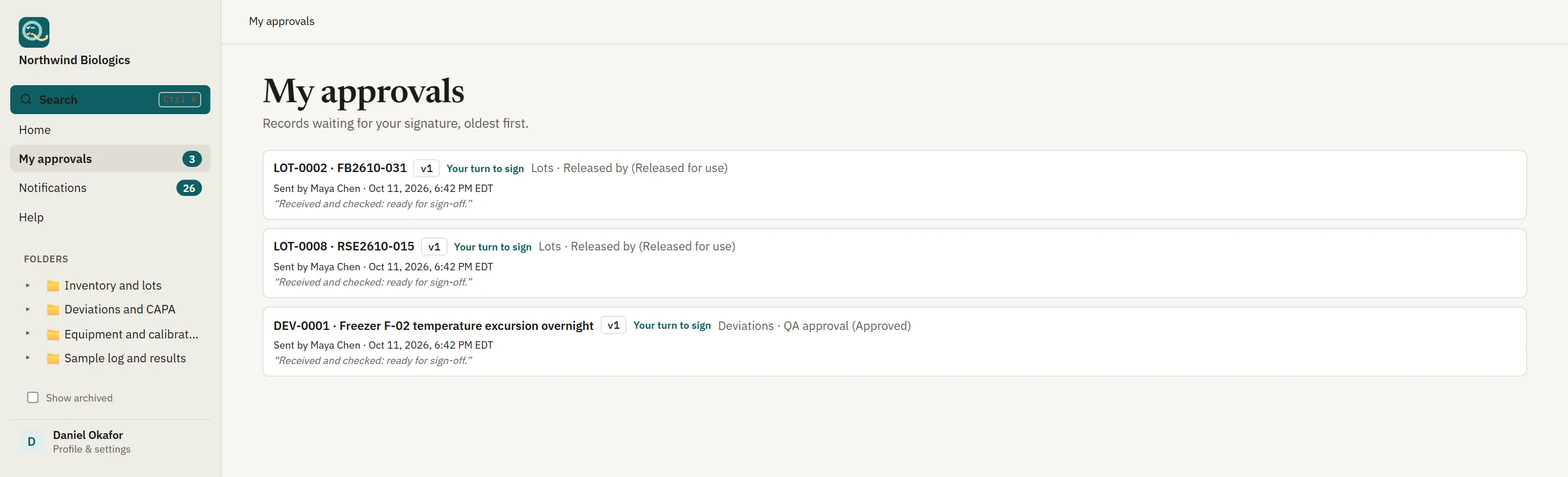
A shipment arrives warm, a lot fails incoming inspection, a freezer drifts overnight. Record the deviation, investigate it, and raise a CAPA that links back to it, all in the same workspace and with the same signatures. Reviewers see what's waiting for them in one place.
Qualsted gives you the controls and the records; your procedures, training and validation of your own configuration complete the picture.
| Requirement | How Qualsted helps |
|---|---|
| 21 CFR 211.80 · 211.84 | Receipt, quarantine and release. Each lot is identified, held in Quarantine status, and released by a signed decision that's recorded before use. |
| 21 CFR 11.10(e) | Audit trail. Who created, changed or signed a record and when, recorded by the server and impossible to edit. |
| ISO 13485 §7.4 · §7.5.9 | Purchasing and traceability. Approved suppliers, lot numbers and certificates on the record, and every use traceable to the batch or study it went into. |
| ISO/IEC 17025 §6.6 | Externally provided products. Reagents and standards checked on receipt, with expiry and storage conditions kept with the lot. |
Working processes with release signatures, reminders and views set up, as ordinary tables and pages you can change.
An item master, lots with expiry dates and storage locations, a Quality release before stock is used, a log of every receipt and use, and reminders before lots expire.
21 CFR 211.80 · 211.84 · 211.122 · FDA QMSR (21 CFR 820) · ISO 13485 §7.4 · §7.5.5 · ISO/IEC 17025 §6.6
Approved suppliers with their risk, certificates and qualification, approved by Quality and requalified every year.
FDA QMSR (21 CFR 820) · ISO 9001 §8.4 · ISO 13485 §7.4 · AS9100 §8.4 · EU GMP Ch. 5
An equipment register with calibration records reviewed by Quality, and reminders two weeks before calibration falls due.
21 CFR 211.68 · FDA QMSR (21 CFR 820) · ISO 9001 §7.1.5 · ISO/IEC 17025 §6.4 · ISO 13485 §7.6
No. It's built for controlled stock: reagents, reference standards, raw materials, packaging and consumables, with release, expiry and traceability. It doesn't do purchasing, costing, invoicing or shipping, and it's not meant to replace a system that does.
Every record has a QR code you can print on a label, and scanning it opens the record. Supplier barcodes can be looked up through search.
Yes. Bring items and lots in from CSV or Excel files; large imports run in the background while people keep working.
The starting template keeps the quantity remaining as a field and logs each movement beside it, which is the easiest way to begin. You can add a rollup column that sums the movements linked to each lot when you want it calculated.
No. It's ordinary tables, columns, views and a procedure page. Add columns for hazard class, ship-to or project, remove what you don't need, and keep everything else.